Home › AI & Tools › Figma, Framer or Webflow: Which Tool for Your Next Web Pro
Figma, Framer or Webflow: Which Tool for Your Next Web Project
Before you buy the marketing or jump on the trendiest platform, assess your project's needs, shape, and finish. The three have different workflow strengths and gaps.
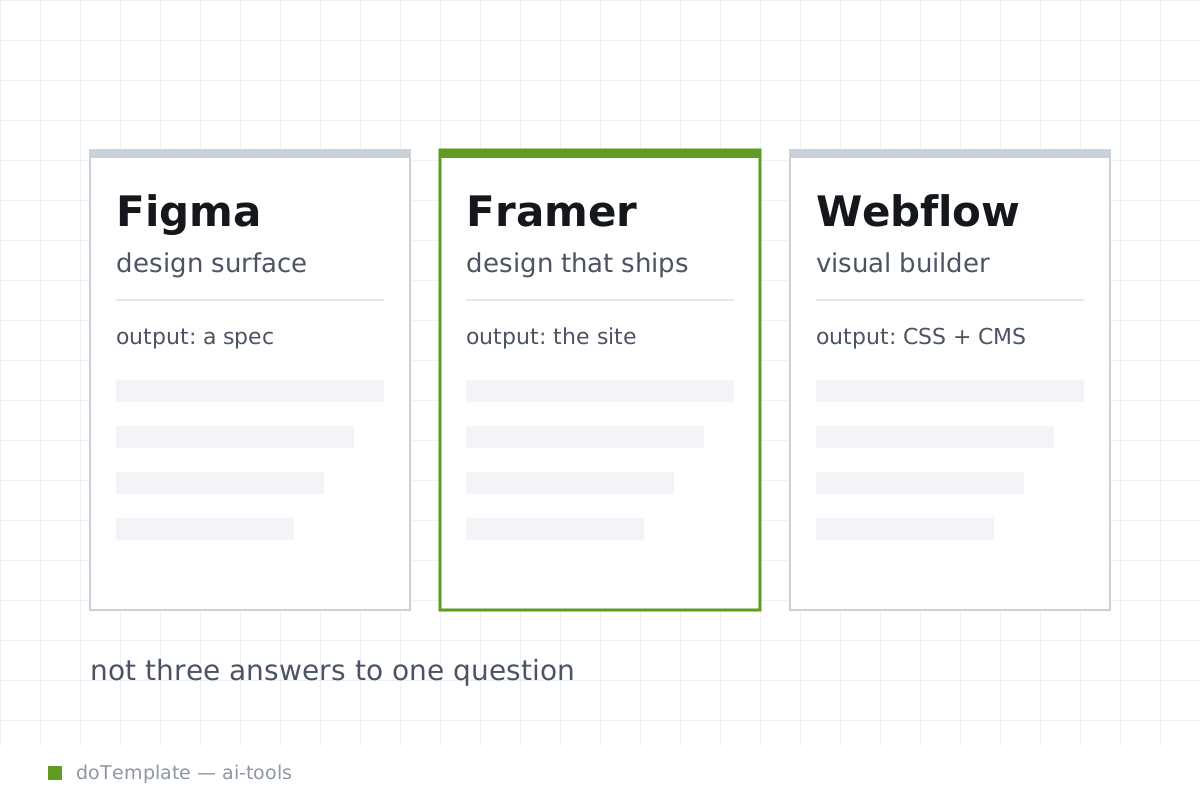
Three tools, three jobs
Figma, Framer and Webflow reach different parts of the web design and build lifecycle.
Figma is focused on collaborative visual design and design-to-developer handoff. It includes a special Dev Mode inside the Figma file, designed for developer inspection - meaning you don't have to understand the platform's design to inspect objects and assets. Dev Mode pulls snapshots of your design file into an interface for inspecting component properties, measurements, spacing values, and serving up code snippets for the developer to use.
Framer is all about publishing finished designs directly to the web in one go. In Framer, you can publish your design to a built-in Framer subdomain or to your own third-party custom domain. Before you push live, you can stage changes on a subdomain at framer.app, where you can test the site securely ahead of the edit rolling out to the live domain.
Webflow is the true CMS and front-end build platform of the bunch. Webflow offers hosting and includes a built-in CMS editor for managing content that is tied to the specific designs in the file. When you're done, you can export the HTML, CSS and image assets in a ZIP package and deploy the front-end to your own hosting. That exported file omits the CMS content, though, so it is effectively the front-end shell of your site.
When the design is taking shape, Figma is the most familiar tool. Figma designers can build out their full file as usual, then indicate readiness for development by setting "Ready for Dev" in an exclusive Dev mode view. Developers open this view to pull out detailed component specs, asset measurements, spacing values, and sample code snippets, tailored to the designs and content.
Figma Dev Mode is organized into a toolbar for moving around the aspects of the design file and searching for the pieces you need, rather than a typical Code view where you have to tap around the navigational tree. It calls out key design information on the selected element or asset as you work. Figma developers can work with the inspected object in a close approximation of its production environment - because Dev Mode shows what is designed, not what has to be computed to build it.
But if Dev Mode is all you need, why not jump on Framer to publish directly? Framer, too, imports the design file for direct deployment. Designs import into Framer frames and scenes that you can fill out, style, and animate as a finished product. That staging environment is where you can edit and publish to a Framer subdomain, or link your own custom domain.
When you publish, you can take the live next steps. Within Framer, you can push live or publish to staging to test changes. Your staging environment is called out on a framer.app URL, giving you a space to easily share a live version of your edit without interfering with your live production. The changes go live by promoted the URL you have published.
When it's more than an end product and you need structure and a CMS to build a product, Webflow earns the Business case.
Webflow's key difference is that it includes the ability for designers to build out a full CMS in a visual way, tied to the specific design files you build in the tool. That CMS also pulls through to the Dev mode and the exported ZIP.
The Webflow export feature is a ZIP that includes your website assets, and the HTML and CSS that your designer built. You copy the folder to a server in minutes, where it runs as a static site, or drop the frontend into a CMS like Drupal. Fast, secure and ready to scale. But you will need to make a decision about export: how you manage the CMS from there depends on your back-end architecture.
When you deploy through Webflow, you are also publishing to Webflow's servers - either at a Webflow subdomain, a custom name registered through Webflow, or by pointing your own domain to Webflow servers. Webflow CMS is tied directly to the underlying design, so finished site updates are not possible if you export the front end and manage CMS changes separately, separately.
Where handoff and portability break down
The next question is about portability. Webflow export only gives a site's front-end, with the CMS managed separately. If it is the front-end you need, Webflow gives the best transferable export. But if your back-end is managed elsewhere, you will rebuild that front-end integration.
What about exporting designs or handing off to a developer? Figma keeps the design file organized, open and a snapshot of the developed site takes shape. Figma Dev Mode serves a static slice of the design file - so you can't update a component in the design and have it available in the Dev.Mode view, though you can update the design and push it through. Similarly, code snippets and the export are based on the design file, not the codebase being built, so you set a reference point in time for your developer to build against.
Framer is tied to an ongoing development process, where iteratively you push live. You are either testing on staging or live in a one-off. And that raises the crucial question around client edits: when a client makes a change, do you push that live in Framer? Do you have a staging for approved changes? Do you do version control with your hosting/domain? It's an all-in process on a single delivered product.
The choice by project shape
So handoff? Figma. A small-batch product? Framer. A CMS-driven site built in-house or with a small agency? Webflow.
There are many end-points to each process, designed to the skills and resource of the designer and developer you are working with. The decision point always relies on scope, workflow and team skills, not the features, hype or buyer's remorse. Happy building.