Home › Speed & SEO › How to Make a Website Load Faster: A Checklist of Fixes
How to Make a Website Load Faster: A Checklist of Fixes
Google's PageSpeed Insights measures the most visible site speed metrics: [First Contentful Paint shows the time it takes for a user to see something they recognise on the page]. CSS files in the <head> tag and JavaScript loaded without async or defer attributes will block the browser before any content could be painted. Delay non-critical scripts or remove them entirely. You can also tell which content and style files block first paint in Chrome DevTools under the "Experience" tab.
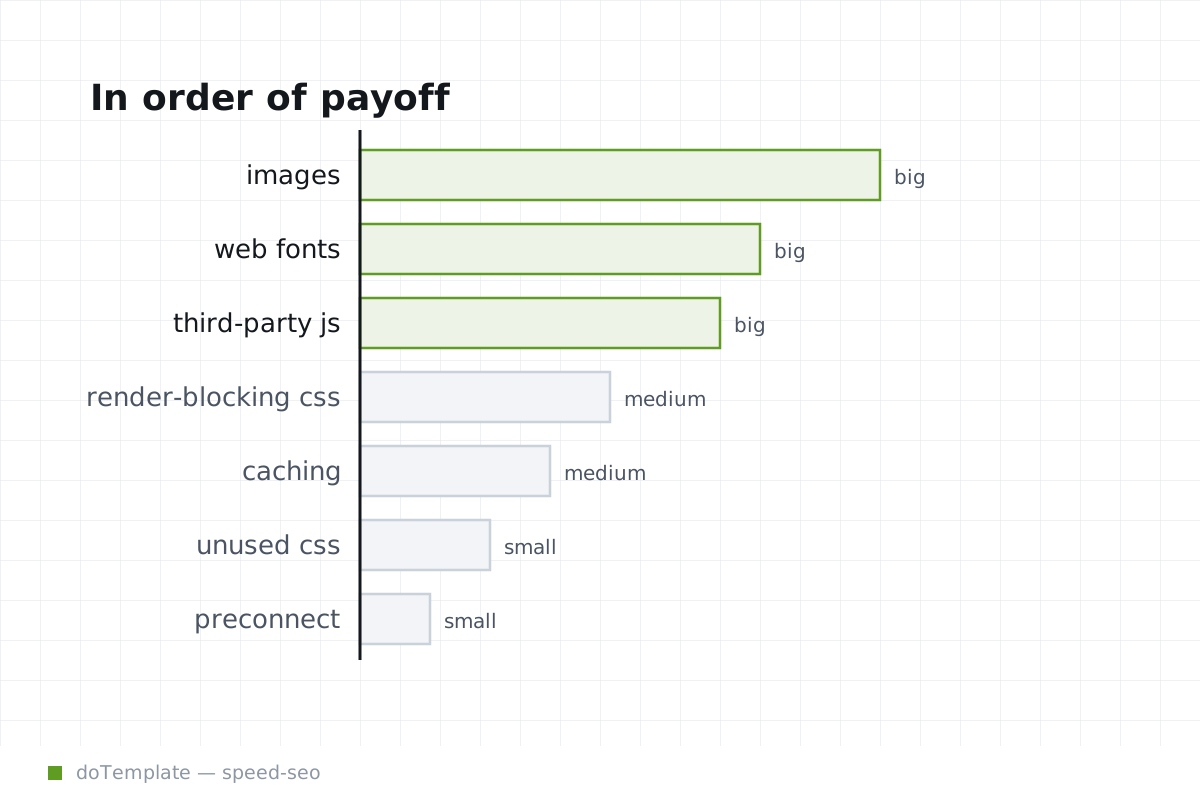
Tune the template's priors first
Run through these items in order, and test each after making the change:
- Extract them from the template files or disable them in the CMS.
- Load font files separately with
link. Partial font loading can slow down critical nearby content in some cases, however.
- For non-essential JavaScript, use
deferfor the main block, and an emptymain.jswithasyncfor anything that truly needs to load before the main script. Split them out from the inline template scripts.
- For essential inline JavaScript in the header, move most of it to deferrable external files, relocating the minimum needed inline to the end of the
<body>to avoid blocking.
- Externalize the margin, text truncation, vendor prefix, and background helper functions from the main template, avoiding bloating the minified CSS/JS. An optimization tool can extract them automatically.
Eliminate remaining latency
- Use compressed static asset versions, including IFrames, SVGs, and other uncompressed MIME types. Use a CDN to edge cache them as well. Handle the on-site static resources as far away from the main session as you manage.
- Learn the shortcuts — this will be your most frequent task.
- Use a preloader for everything, except for your CDS templates.
- Limit embedded web apps and pop-ups to a single use case each, so you can separate them into one-off template files instead of bloating the main stack.
- Apply
lazy loadto the lowest-priority content, partially preserving the best layout for critical elements.
- Use responsive resizers to auto-resize the slot to the right size, compared to the original, full-size file. This is the easiest and still underused performing fix.
- Use critical CSS with one final pass, extracting it as far down as possible. Here is Google's guide to critical CSS, but you can streamline it from templates rather than parsing an initial page load.
Content markup makes most web pages heavy, especially if it is templated. Websites are many of the hits a typical user makes, and templating tends to ease that bloat on the back-end but increase delays on the front. Google's PageSpeed Insights and others rank adjustment only hesitate on how template heft pays off, and PageSpeed Insights only measures what humans see.
Facts, stuck as they are in words, seldom give a numeric answer for which front is the most pressing. However, you can often estimate a rough range of payoff once you measure the fully-loaded template. By understanding dynamic loading times, you can predict the cost of each optimization — from relative payoff through in-place effort. Fixing the major blockers always yields the best results.
Rather than trying to apply every PageSpeed Insights suggestion at once, a smart site administrator should proof clean each one first, then prioritize the site's template pieces by their role in what users see first.