Home › Speed & SEO › WebP, AVIF, JPEG, PNG, and SVG: How to Choose an Image For
WebP, AVIF, JPEG, PNG, and SVG: How to Choose an Image Format
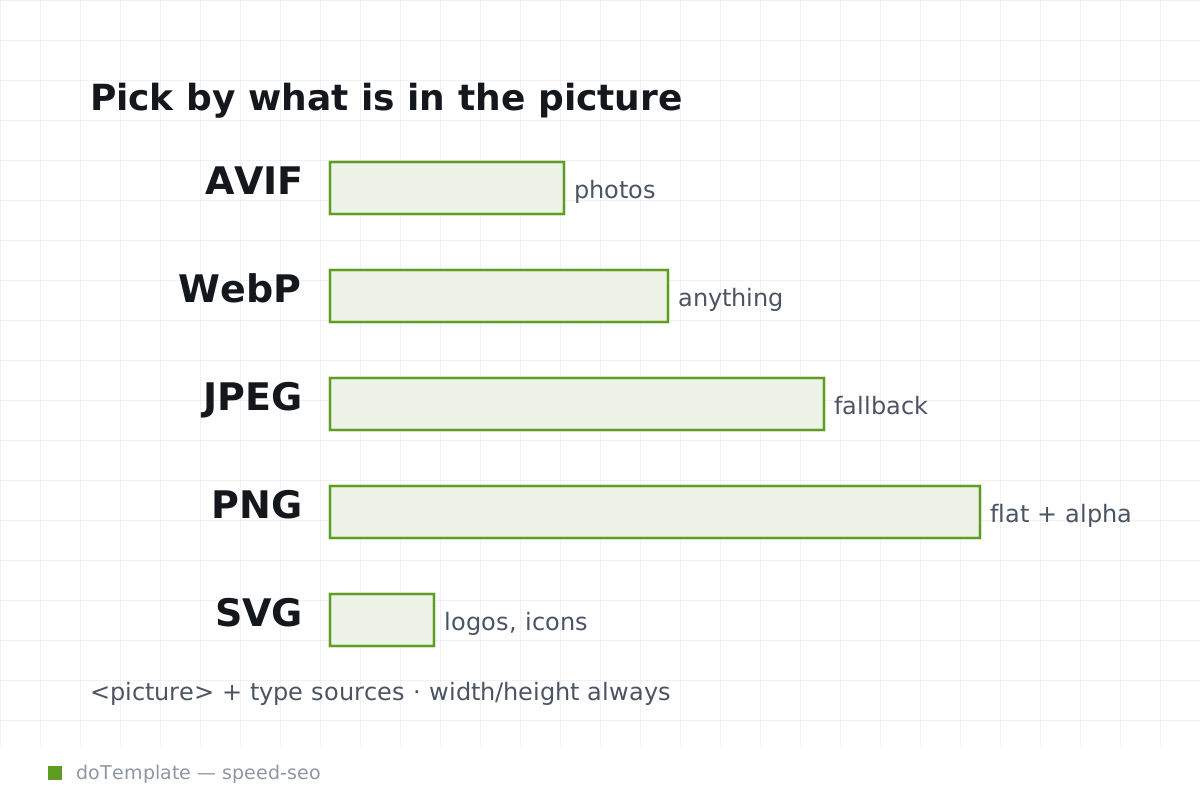
When exporting images for the web, format choice needs to follow image content and delivery method, not a single "best" format. Modern export pipelines should target AVIF, fall back to WebP, then JPEG for photographs and smooth gradients. PNG and SVG should be chosen for the necessary sharpness and vector precision, not the smaller file.
In this article
Photographs and Continuous-Tone Images
For photography, artwork, and graphic design with smooth tones and textures, JPEG is the traditional and universal choice. JPEG handles the gradual color shifts of photographs and grainy textures well. PNG offers up to 16 million colors but all whitespace and transparency must be boxed with a solid background color veiling the edges.
If you export to AVIF or WebP, you do trade some browser support for a smaller file. AVIF can be smaller than JPEG in size on photos but not on detailed textures. AVIF and WebP are generally not as blazing fast to encode, and while AVIF tends to be smaller, WebP tends to encode a bit faster, so you run the risk of saving less but spending more on encode time compared to JPEG.
Screenshots, Text-Heavy Graphics, Transparency, and Precise Reproduction
If your graphic involves clean edges, sharp text, or selective masking with a transparent background - such as a centered logo overlaid on a complicated webpage background, a photograph cut out as a silhouette, or text in a transparent PNG grid that resolves to any background - then a raster graphic like PNG lets through clearer transitions between object and background.
PNG is also the safe choice when you need proof against digital change and you must keep the composition and color true in every copy. JPEG applies a lossy compression that trades away a bit more "quality" every time the image is re-saved. PNG remains lossless. So, screenshots, traced fonts, and micro-text needs PNG. But the nuance is where reality fades: sometimes you can pivot to a vector file and reduce the transparency by keeping the image in-document instead of exported.
Logos, Icons, and Illustrations
Because iconography and even salient photographs often gets exported for use on a variety of far-flung backgrounds, SVG is increasingly the format of choice.
An SVG advantage is that it scales cleanly to any dimension without losing quality. Formats like JPEG and PNG invert this relationship: these must be resized down from the largest realistic viewers to drop weight in favor of speed. JPEG especially can show "blocking artifacts" when sizes shrink or pixel ratios are not a match for playback.
But SVG does come with its hurdles. Size does matter. "Fat SVGs" show slower network and rendering. Tiny fat SVGs destabilize layout (many behind-the-scenes features like animation and foreign-enterprise tracking can add hidden markup and inflate the file). SVG also is restricted by browser capacity. Some only allow a limited screen-recorded viewport, others choke on super-long file names.
AVIF, WebP, and the Support Trade-off
The two newest format choices, and the ones most likely to outdo the old guard, come with a caveat: not all browsers support them.
AVIF is an up-and-coming format with a smaller file size and better performance with image and video. WebP comes in close behind. AVIF has better image performance specifically. WebP runs faster on the back end. AVIF can be smaller than JPEG on photos. But WebP was first out the gate and has wider support. WebP is widely supported, but AVIF has yet to reach all browsers. Is Firefox really said in those terms? I think it's slow.
To add AVIF and WebP to your line-up
Responsible Delivery
You can select the right format, but you need the right delivery. All else falling into line, only the largest image on the first screen no largest element, the largest single image should not be lazy-loaded. Every image should have a width and height in places. If a single image scales up or down, then srcset and sizes are the recommendation.
What Still Needs a Balance
Encode time, while still secretly a part of this decision, is not settled among sources other than generic "it's more" and not clearly captured in the public record.
Yes, AVIF and WebP are smaller. It's clear that AVIF is larger than WebP, but smaller than JPEG, so WebP beats AVIF in encode time while AVIF beats WebP in terms of file size. But no...dig deeper, ask if we have or can have the same tiered, save-for-quality results in AVIF and WebP as can be had with JPEG? If true: then JPEG has the longest reach in a pipeline.