Home › CSS & Code › How the :has CSS Selector Can Replace Common JavaScript Co
How the :has CSS Selector Can Replace Common JavaScript Code Snippets
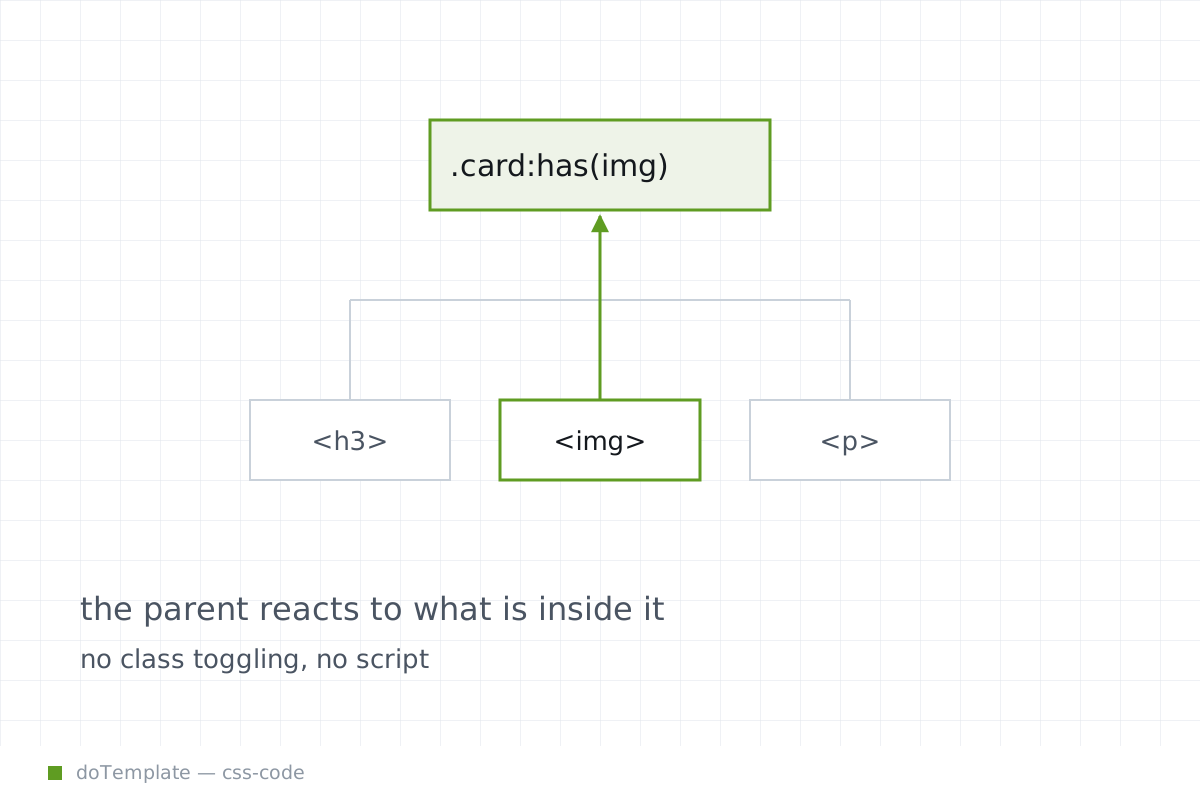
The :has() pseudo-class in CSS is a powerful relational selector, one that allows an element to be selected based on its descendants or adjacent siblings. This selector, now available, can eliminate small JavaScript snippets by enabling the styling of an element based on its children or other related elements, potentially transforming your approaches to DOM manipulation. However, understanding its specificity and performance characteristics is essential for effective use.
In this article
What:has is
MDN's introduction to :has() defines it as a "relational pseudo-class" that styles an element based on the presence of child or adjacent elements. Unlike traditional selectors, :has() operates "from inside-out" by working from the children up to the parent.
While this pseudo-class may seem like a CSS parent selector, it can be applied to more than just parent/child hierarchies. MDN's examples, including x:has(a):has(b), demonstrate its ability to check for the presence of multiple descendant elements. This makes :has() a versatile tool for matching specific structures in the DOM.
Structural detection with:has
Google Chrome Devs' :has() introduction showcases several practical examples of structural detection using this pseudo-class.
In the case where you need to ensure that <a> tags don't contain specific child elements, like SVGs, the selector a:not(:has(> svg)) will do the trick, selecting anchor elements that don't have a direct SVG descendant.
For ensuring accessibility, particularly in image-heavy content, the selector article:has(img:not([alt])) finds articles with images missing alt text. This functionality effectively replaces JavaScript-based accessibility checks.
To react to changes in the DOM, such as toggling a menu based on ARIA states, the selector root:has(.menu-toggle[aria-pressed="true"]) selects the root element when a specific state is present, showing how :has() can interact with Web Components or even plain CSS to handle UI states that required a JavaScript approach in the past.
Layout and interaction without JavaScript
While structural detection is one of the primary use cases for :has(), its ability to manipulate layout and interaction can truly eliminate small scripts.
For adaptive layouts, the selector container:has(>.container__item:last-of-type:nth-of-type(odd)) demonstrates how to select containers based on the number of child elements. Across a grid layout, this can streamline even client-side responsive design tasks, showing that :has() can be used for more than just parent/child detection.
Interactions can be more intuitive as well. For style hierarchies based on hover states, grid:has(.grid__item:hover).grid__item:not(:hover) selects grid items that are not currently hovered when an item is hovered, effectively creating coordinated hover interactions without JavaScript.
For CSS-only conditional insertion, the selector p:has(+ hr) a:only-child styles paragraph links with direct sibling horizontal rules. This nested condition, showing :has() working with general and child combinators, starts to approach full replacements for more complex DOM-based interactions.
Combining conditions with:has
As shown in several Google Chrome Devs' examples, combining multiple :has() conditions allows for more granular DOM structure matching. The selector article:has(> h1):has(> h2) selects articles with both h1 and h2 children.
Multiple conditions can be nested for complex and specific matches, making :has() a powerful tool for tasks traditionally handled with JavaScript—like handling form states with CSS.
What to watch out for
While :has() is a great tool, understanding its specifics allows smooth integration. Like :is() and :not(), :has() takes on the specificity of its most specific component, which can lead to overspecific rules if not managed carefully.
This means writing more explicit and less nested rules where possible, just as with any other complex CSS selector.
Another important note, based on general best practices for using relational selectors in CSS, is to ensure that performance remains at acceptable levels. While this is not immediately clear with :has() due to its complex nature, the compiled nature of CSS means caution is advised.
Selectors like :has(>:nth-child(n)), when used to detect quantities of child elements, may impact performance, though primary-source verification of potential negative impacts is yet to confirm this. Likewise, :has() nesting is potentially problematic for specificity, though MDN does not explicitly specify limitations around how deeply selectors can be nested.
In short, thorough testing and benchmarking are recommended before relying on :has() for production applications, particularly in more complex structures.
Conclusion
The addition of has() as a powerful CSS conditional selector is a game-changer for those looking to simplify their DOM scripts. By allowing the styling of elements based on their descendants or adjacent siblings, CSS has() can replace small JavaScript tasks and streamline the web development process. However, its specificity and performance considerations cannot be overlooked, and careful testing is essential to ensure an optimal user experience.
As you start to integrate has() into your development workflow, keep exploring its full potential, but always ensure that the selector's logic remains aligned with your application's structure and performance goals.