Home › CSS & Code › Page Transitions With the View Transitions API
Page Transitions With the View Transitions API
The View Transitions API lets browsers animate between the previous and next states of a page, enhancing the feel of a site with fluid movement. MPA and SPA sites act very differently, and this API does nothing to change browser's natural behavior: showing a web page. Instead, the API lets authors add motion to the default navigational experience with low risk, since the browser navigates the page even if the transition doesn't run.
In this article
- older browsers will navigate instantly, and
- older and less capable browsers can't make animated transitions at all.
Moving a site between views, whether it's between pages or states in a single page, is an important part of web authoring. It's not essential for functionality, since the browser downloads and shows the new page, but can improve the perception of speed and discourage "back" button use.
However, browser support as of 2026 is still not fully complete
How the browser animates the swap
The transition occurs because the browser creates two images:
- one of the currently visible page, and
- one of the new page in its document flow.
It uses a command queue to move elements from the current position to the new, as described in spec
Same-document transitions
Cross-document transitions
One of the most significant extensions in Level 2 is support for navigation across documents, such as navigating between pages in a multi-page application (MPA). However, to animate between documents, the browser requires:
- The new page must be same-origin as the outgoing page. Cross-origin security requirements have not changed. 2. The page must stay visible during the transition. 3. The navigation must be user-initiated, which affects attributes such as
rel="preload"and other situations that auto-navigate after the page initially loads.
Cross-document transitions animate navigation on the same origin, and then use a pagereveal pseudo-element to underline which parts move between the outgoing page to the incoming one.
Cross-document navigational transitions are more limited than the same-page ones: the browser must keep the page visible to animate across navigations, and both the new and old pages must be from the same origin. Additionally, the navigation must be user-initiated rather than an auto-navigate from link with rel="preload" or a similar situation.
Cross-document support, while a much-requested feature, is still not complete as of 2026.
Naming only what matters
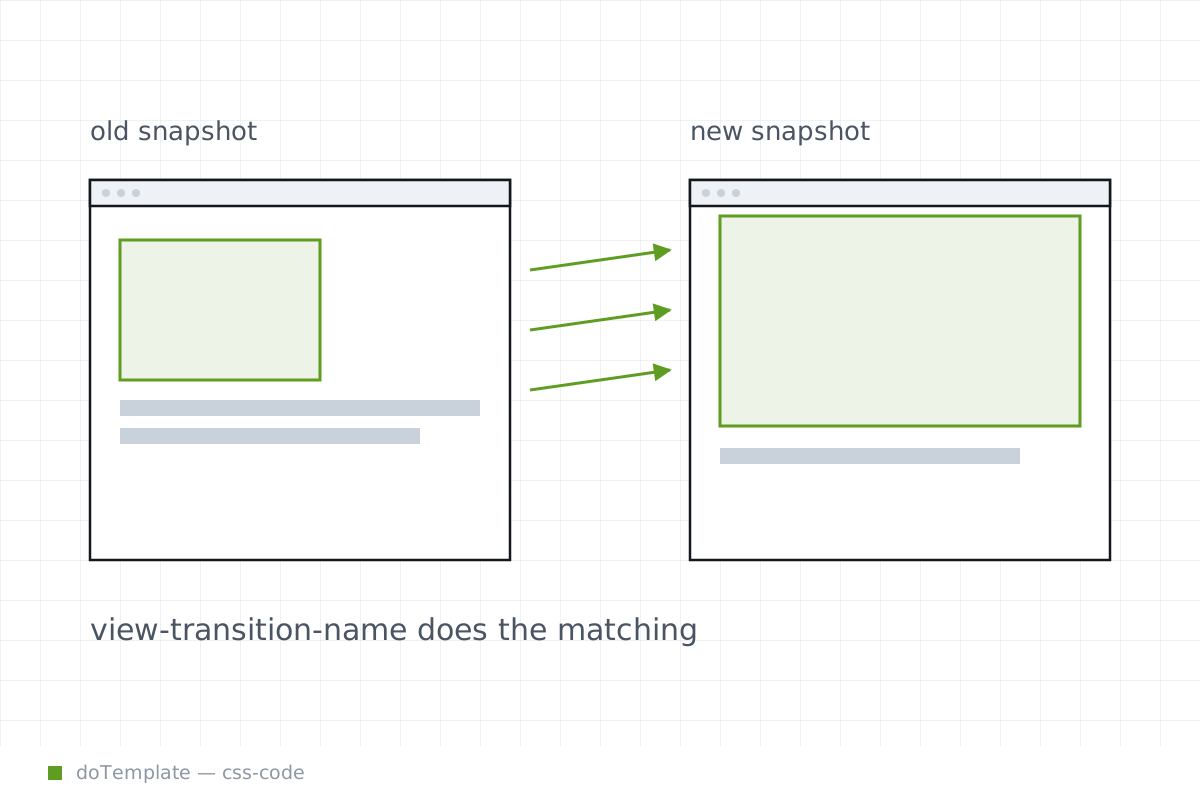
The API supports complex transitions between different parts of a page, without explicitly making all elements move. A view-transition-name CSS property attaches a name to an element, so the author can ensure the browser only moves the most important parts.
This matches the authoring goal of changing the visual focus, rather than making all elements move visibly, which distracts from content rather than enhancing the browsing experience.
What the writer should be careful not to overclaim
Accessibility is first, and plain vanilla cross-fades are not accessible for people with vestibular issues, but the API only activates animations when a media query matched the user's browser:
However, the author still needs to ensure the page is usable with the transition disabled. Since all transitions skip under many circumstances, the author should consider the existing experience to be the true "default". The transition simply adds motion to that default.
- Perceptible: Color, contrast, and animation intent are not for decoration, but to communicate meaning or inform user interaction. The author should test with those needs in mind.
- Operable: The whole page should be navigable with a keyboard, and people with disabilities should control the program. Animations like this don't mean the traditional behavior can be ignored.
- Understandable: When the user interacts with the page or application, they should have an intuitive reason for those interactions. The pagination intent should be plain to users with and without animations.
- Robust: The page should work across many environments, including assistive technology. Many features of assistive technology evaluate the entire page at regular intervals, and rapid animations can interfere with that.
Same-document transitions must be called by a developer. While trivial, this requires adding JavaScript.
Across documents, the browser auto-generates named pseudo-elements, but the author specifically names any elements to transition with the view-transition-name property. The author styles these with `pseudo-html attribute selectors.
Why it matters on static sites
Historically, MPAs and SPAs behaved differently when navigating. When moving to a new link in a SPA, the browser could animate the transitions. However, when switching links in a static site, the browser downloaded the new page in an instant:
When using the View Transitions API, browsers can animate the transition: whether across documents or within a single document, it feels faster and more fluid. On a single-page app, the author has far more information about the transition, but on a multi-page application can now animate to matches the feeling of a SPA with less effort.
How it works: view transition
The situations are similar. In each of these examples:
- a navigation of some kind starts, and
- a transition animated across the action, leaving
- the page resting as it would have done naturally.
Within the document, a developer can trigger the transition with JavaScript:
document.startViewTransition( => { // changes to the DOM that define the transition end state. }) ]
Across documents, official browser documentation describes both the called transition:
Then, the browser auto-generates the same pageswap and pagereveal pseudo-elements that the same-page functionality provides.
Level 2 of the View Transitions specification includes a richer authoring model that integrates cross-origin transitions. It also adds the @view-transition rule, and selectable transitions with view-transition-class and named pseudo-element additions.
Leveraging capabilities while avoiding overreach
The key to using the View Transitions API is realizing its strengths:
And, like all authors, the developer should realize the same constraints:
- Don't animate aesthetic-only features in the page
- Don't remove accessibility when adding the animations
- Don't assume animation support in all browsers.
- Don't make pages that rely too heavily on script. Avoid over-relying on scripts.