Home › WordPress › Child Themes: What They Are, Why They Matter, and How to M
Child Themes: What They Are, Why They Matter, and How to Make Them in 10 Minutes
Your WordPress theme just got an update, but now all the customizations you used to make did not apply. Some of them are gone, some of them have bugs, and some of them have copy-pasting errors. You did not think much of it at first, but after the next theme update, you will lose all your changes if you do not do things properly. No one likes that, and a child theme is the classic design pattern that resolves it.
In this article
But a child theme is not the only customization tool anymore. Before writing your own child theme, it is worth checking whether your customizations can be made directly in the block editor or defined in global styles instead.
What a Child Theme Is and Why It Exists
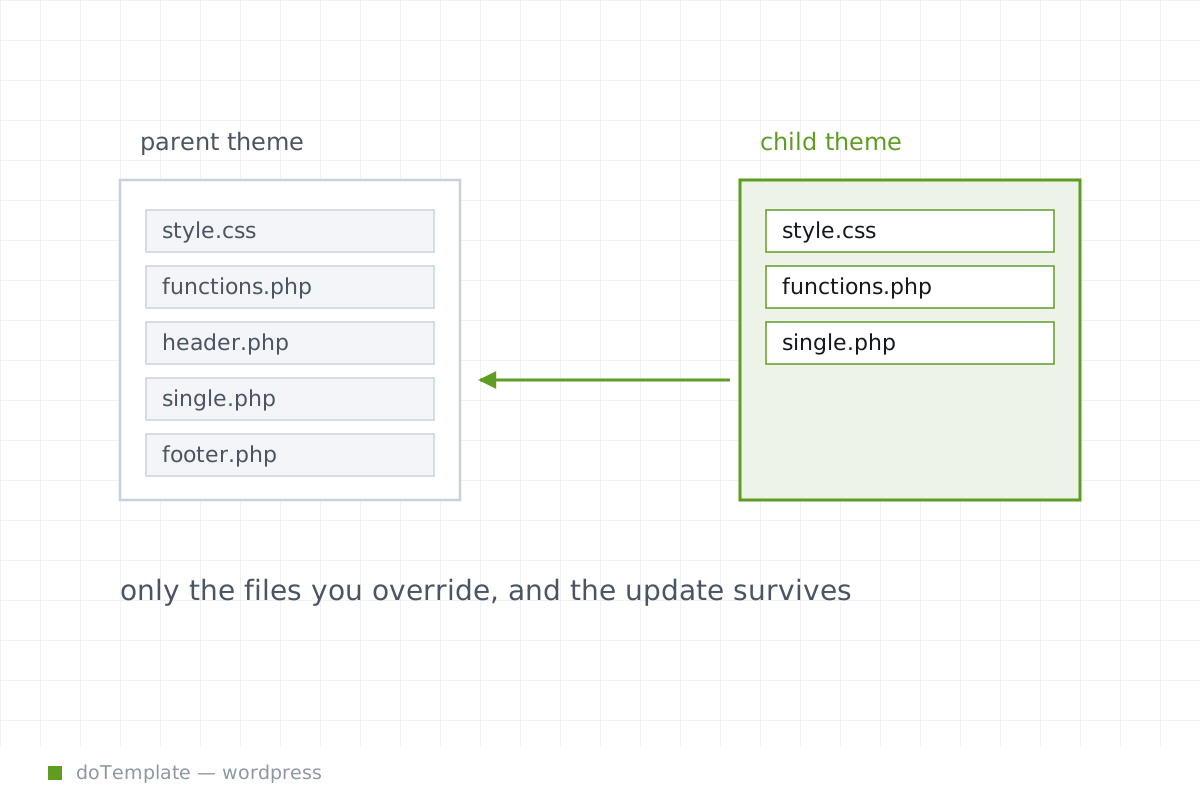
A child theme is a separate folder that contains its own style.css and functions.php. The style.css lists the child theme itself, and the parent theme in the "Template:" line:
/ A simple style.css for a WordPress child theme. / Theme Name: Twenty Twenty Five Child URI: https://example.com/ Description: My customizations, via a child theme. Author: You Template: twentytwentyfive Version: 1.0.0 License: GPL-2.0-or-later */
It is linked to its parent theme by the name of the Template: your-theme-folder line, which is tweaked to match the folder name of the parent theme.
Once you point to a parent, the child theme is a sub-theme that "extends or modifies" the parent theme — preserving its existing styles and user interface, but doing customizations on top 1,2,3.
This way, WordPress keeps theme-level changes sub-divided between two areas: if you do any customization, but the customization is not in the child theme or global styles, it is at risk of getting wiped out by the next theme update. If it is in the child theme or global styles, it will survive the update and continue to work 3,5.
The Minimum Files to Create
Creating a child theme starts with a dedicated folder to represent the child theme in the theme directory; WordPress installs themes in /wp-content/themes has examples such as:
The folder contains at least three files to make a child theme work:
- A
style.csswith the above header, pointing to the parent theme. 2. 3.
To install a child theme, upload the folder to wp-content/themes, and then activate the child theme from the Appearance → Themes admin panel 5.
Creating the child theme shows up as an available theme on the Appearance → Themes page, and users will have to explicitly switch from the original Twenty Twenty-Five theme to the child theme
What Block Themes Changed
WordPress block themes put the categories of customization into different zones.
Many visual customizations that used to go in a child theme now belong in the global styles, or in block-theme style variations 8,10.
Style variations are global ways to change blocks’ appearance and expand a theme’s options, but are defined alongside the theme in theme.json and page settings with no need for a full child theme 9,11.
With global styles and style variations, you are no longer required to make an entirely separate child theme with a style.css to change many of the theme’s available styles 10,11.
What Belongs in the Child Theme
Child themes are still a great tool, but your customization is now split between three areas: the child theme, global styles, and block style variations in theme.json. The child theme should still be used for theme-level overrides, and WordPress documentation is clear that those belong in the child theme’s files 1,2,3.
When a Child Theme Is Still the Right Tool
It is not true that child themes have been replaced. Block theme style variations are for visual customization and some user-interface overrides, but making deep customizations to the theme or its PHP code still requires a separately-activable child theme 2,4,5.
In particular, if there are a block of theme-level changes, it is best to put them in a child theme and preserve the parent theme, so the child theme will survive the theme update 1,3.
What Not to Overbuild
Child themes are power, but they are not always the answer. Customizations that can be done in global styles or style variations may already be covered, so the child theme can be unnecessary final work 8,10,11,13.
If you can make the change in the Global Styles section of the Site Editor, it is better to do that than to write a complete child theme 8,11.